

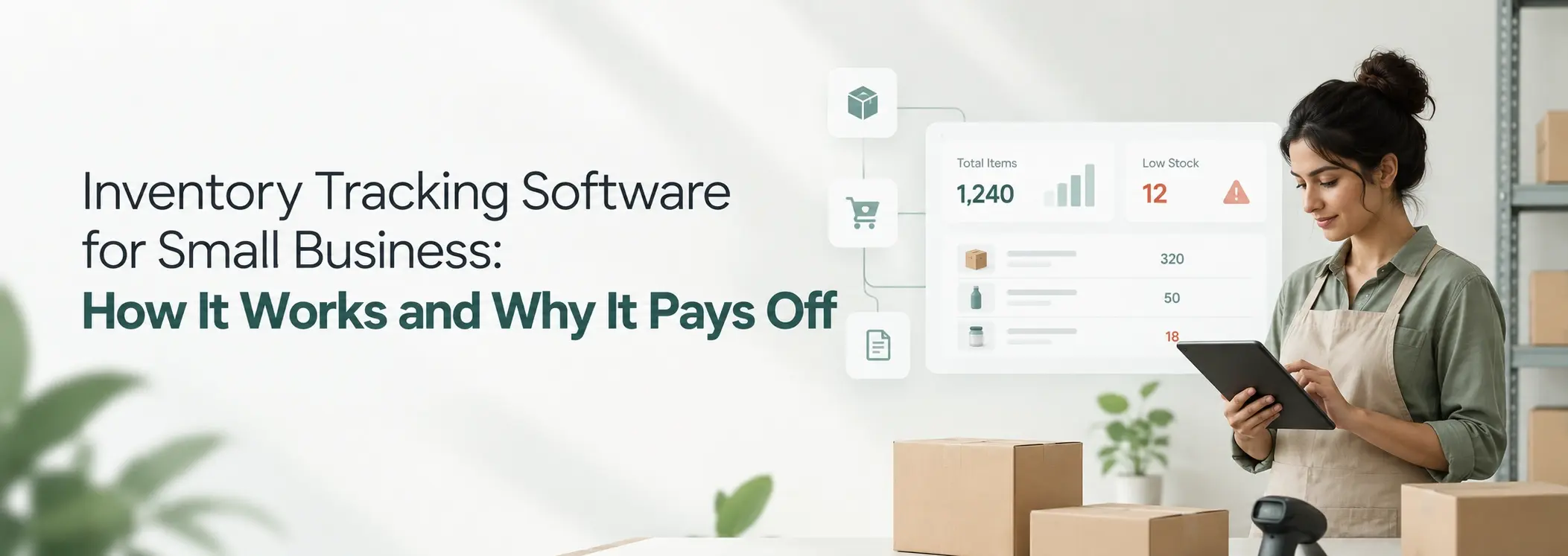
It is Monday morning. A customer wants 20 units of your best-selling item. Your spreadsheet says you have 20, so you say yes. Then you walk to the shelf and find 6. Someone sold stock on Saturday and nobody updated the sheet.
Now you are calling the customer to say sorry, and calling your supplier to beg for a rush order. This is the moment most owners start looking for inventory tracking software for small business. The idea is simple. Instead of trusting memory and spreadsheets, a system records every item that comes in and goes out, and always shows the true count. This guide explains how an inventory system for small business works, step by step, in plain words.
What Does Inventory Tracking Software for Small Business Actually Do?
Inventory tracking software for small business keeps a live count of every product you own, and it changes that count each time something is bought, sold, moved, or returned. Think of it as a shared notebook your whole team writes in, except it never forgets and never has messy handwriting.
Counting is only half the job. The same software shows what is running low, what is not selling, and what to order next. That is why small business inventory management is really about better buying decisions, not just counting boxes.
How an Inventory System for Small Business Works, Step by Step
An inventory system works in five steps: it records each item, logs every movement, updates counts on its own, warns you when stock is low, and turns the history into reports. Here is what each step looks like in daily life.
Step 1: Every product gets its own record
Each product gets a record with its name, a short ID called a SKU, the quantity on hand, what you paid, what you charge, the supplier, and where it is stored. Everything else depends on this step. If the records are sloppy, the counts will be too.
Step 2: Every movement gets logged
Stock arrives from a supplier. Stock leaves with a customer. Stock moves from the store room to the shop floor. Stock comes back as a return or gets damaged. Each of these is a movement, and good inventory management software for small business asks you to record it, often by scanning a barcode or tapping a phone.
Step 3: Counts update on their own
This is where an automated inventory management system earns its keep. When you enter a sale or a purchase, the count changes right away, so nobody edits a cell by hand. If you also sell online, the same count is shared across channels, which stops you from selling one item twice.
Step 4: Alerts tell you when to reorder
You set a minimum level for each item, called a reorder point. When stock drops to that level, the system sends an alert. For example, if a supplier takes 10 days to deliver and you sell 5 units a day, you need about 50 units to cover the wait. Set the reorder point a little above that, and you will rarely run dry.
Step 5: History becomes reports
Because every movement is recorded, the software can show your fast sellers, your slow sellers, the total value of your stock, and how much cash is sitting on shelves. This is what turns inventory tracking software into a decision tool instead of a simple counter.
Spreadsheet vs Manual Register vs Automated Software
A spreadsheet is fine for a few dozen items and one person, but once you have hundreds of products or several people updating stock, an automated inventory management system is safer and faster. The table shows where the gap opens up.
| What you care about | Paper register or spreadsheet | Automated inventory tracking software |
| Count accuracy | Depends on someone remembering to update it | Updates with every sale, purchase, or transfer |
| Low stock warnings | You notice when the shelf is empty | An alert goes out at your reorder point |
| Several people or branches | Version clashes and overwritten cells | One shared count everyone sees |
| Reports | Built by hand, often skipped | Ready when you open the dashboard |
| Risk of mistakes | High, especially at month end | Lower, because entries happen at the moment of the sale |
What to Look for in Inventory Management Software for Small Business
Look for software your team will actually use every day, that shows stock in real time, sends low stock alerts, and connects to your billing. Fancy features matter far less than daily habit.
Start with ease of use. If your store staff need a two hour lesson, they will go back to the notebook. Next, check that it works on a phone and supports barcodes if you handle many small items. Make sure it links to your invoices, because stock and billing should never disagree. Finally, ask whether it can handle a second branch or a new product line later, since switching systems in year three is painful.
Inventory Management Software vs Inventory Management Services
Software is the tool. Inventory management services are the help around the tool: setting it up, moving your old data in, training your staff, and adjusting it as you grow. Many small businesses buy software, skip the services, and then wonder why nobody uses it. If your product list lives in messy spreadsheets today, good inventory management services are often worth more than one extra feature.
Five Mistakes That Quietly Break an Inventory System
Most inventory systems fail because of habits, not technology, and small business inventory management is no different. The first mistake is skipping the starting count. If you load wrong numbers on day one, every report afterward is wrong. The second is not recording small movements, like samples, damaged pieces, or items taken for personal use. The third is creating several product codes for the same item, which splits your stock into pieces. The fourth is having no owner, so everyone assumes someone else is updating it. The fifth is never checking the system against the shelf. A quick count of a few items every week catches drift before it grows.
When Ready-Made Tools Stop Fitting
Ready-made inventory tracking software for small business works well until your process becomes unusual. Maybe you turn raw material into finished goods, sell in batches, run several branches, or price every customer differently. Then you spend more time bending your work to someone else’s screens than running your business.
That is where we come in. At Dhumi, we design software around how your team really works, starting with a working version in two to three weeks. You can see how our inventory and low stock alerts keep warehouse and shelf counts honest, or read how we help retail operations manage stock across branches.
People Also Ask: Inventory Tracking Questions, Answered
What is inventory tracking software?
Inventory tracking software is a program that records every item you buy, store, and sell, and keeps a live count of what is on hand. It replaces handwritten registers and spreadsheets with one shared record that updates as work happens.
How does an inventory management system work for a small business?
It gives each product a record, logs every movement in and out, updates the count automatically, alerts you when stock is low, and builds reports from the history. You enter or scan each sale, purchase, and transfer, and the system handles the maths.
Do I need inventory software if I only have a few products?
Not always. If you have a few dozen items, one person handling stock, and no online sales, a well kept spreadsheet can do the job. Move to software when mistakes start costing you sales, or when more than one person or place handles stock.
How much does inventory management software for small business cost?
It depends on how many users, products, and locations you have, and on whether you choose a ready-made tool or a custom one. Some tools charge a monthly fee per user, some offer free basic plans, and custom systems are priced by scope. Compare the price with what one stock mistake costs you each month, not just the number on the plan.
What is an automated inventory management system?
It is a system that updates stock counts, raises low stock alerts, and creates reports without manual entry at each step. Sales, purchases, and transfers change the numbers instantly, so your team spends time on decisions instead of typing.
How do I move from spreadsheets to inventory software?
Clean your list first so each product appears once with one code. Then do a physical count, load the counts into the software, and run the old sheet alongside the new system for a short time to catch gaps. Once the numbers match, stop updating the sheet.
Conclusion: Start With One Honest Count
Good inventory tracking software for small business does three things. It shows the true count, warns you before you run out, and shows what is worth buying more of. You do not need a huge system to start. Do one honest count, pick a tool your team will use, and build the habit of recording every movement.
If this sounds like your store room, look at how our inventory and low stock alerts work. For more ways to cut daily admin work, read our guides on automating small business workflows.