Why Manufacturers Are Rethinking Their Spreadsheets
For plant heads, operations managers and finance leads, the question is rarely whether Excel works. The real question is whether Excel still works at your current size, order volume and customer expectations.
Most manufacturers start with spreadsheets, and for good reason. They are free, familiar and fast. But as orders, suppliers and product variants grow, every extra file adds delay, rework and risk. The cost shows up as late deliveries, excess stock and slow month end closing.
This guide explains ERP vs Excel for Manufacturing in simple terms, so your team can decide when to upgrade and what to look for in a vendor.
Why Most Factories Start With Excel
Excel is a smart first tool. It is already on your computer, your team knows it, and you can build a stock list in an hour. For a small workshop with a few products, that is enough.
Spreadsheets work well when:
- You have one or two people entering data
- Your products have simple parts lists
- You can see the whole shop floor from your desk
The trouble starts when the business grows and the data has to move between people, machines and departments.
ERP vs Excel for Manufacturing: The Real Difference
Excel is a blank page. You build every rule yourself, and you must remember to follow it. An ERP (Enterprise Resource Planning) system is a single connected system. Sales, purchase, stock, production and accounts all share the same live data.
Let us look at where the gap shows up most.
Data Accuracy
When people type the same number into many files, mistakes follow. This is not a guess. Professor Raymond Panko of the University of Hawaii has studied spreadsheet errors for many years. His review of field audits found errors in 24% of the 367 real company spreadsheets examined (Panko, EuSpRIG).
How Big Is the Error Problem?
A 2008 analysis of several studies suggested that close to 90% of spreadsheets contain errors. Panko noted that in large sheets with thousands of formulas, there will be dozens of undetected errors (MarketWatch). Other research shows cell error rates ranging from 0.38% to 2.5% in field audits (Correctness is not enough, arXiv).
In a factory, one wrong number can mean the wrong material is ordered, or the wrong price is quoted. An ERP reduces this risk because data is entered once and used everywhere.
Inventory Control
Stock is where Excel hurts first. Every issue, return and purchase has to be typed by hand, and the file is always a little behind reality.
Good inventory management software for manufacturing gives you live stock by location, batch and lot. It also shows what is reserved for which job, so you stop promising material you do not have. Your store and sales teams see the same numbers, and a late raw material delivery is visible in minutes, not days.
Production Planning and Workflow
A factory is a chain of steps. If one step slips, every step after it changes. In Excel, someone must notice the delay and update many sheets. In an ERP, the delay shows up on the plan automatically.
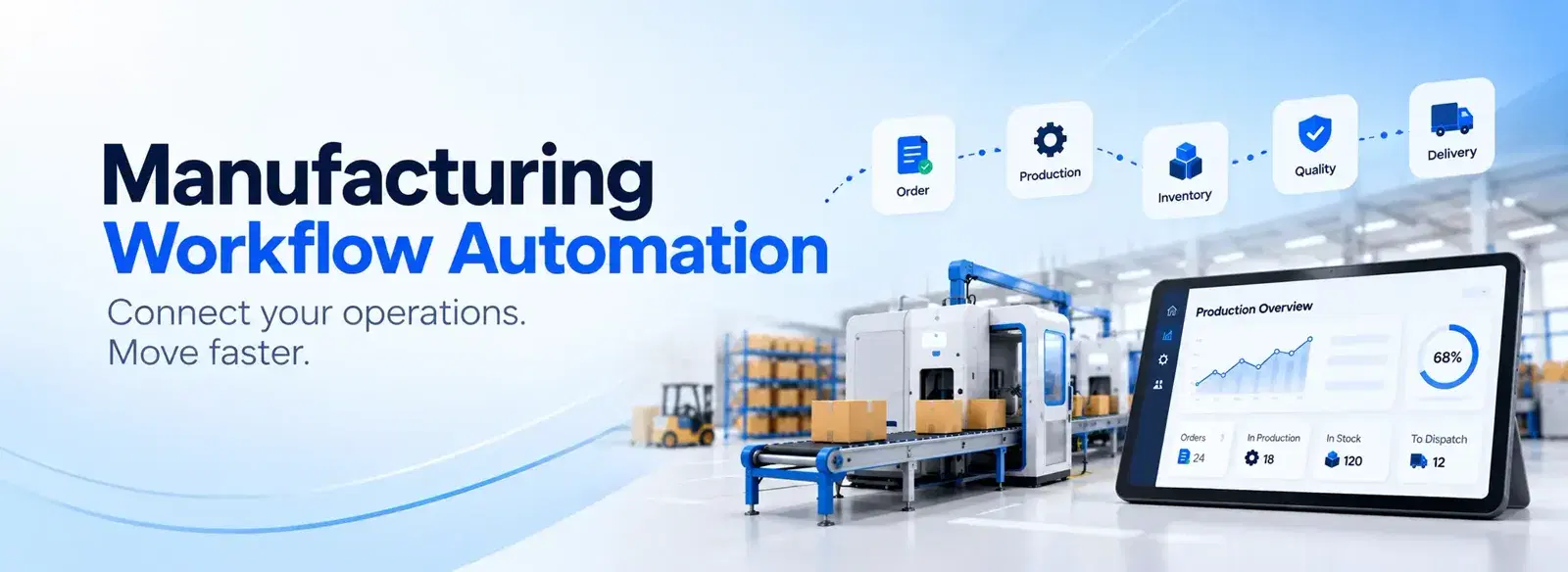
This is where manufacturing workflow automation helps. Work orders, approvals and alerts move on their own instead of waiting for someone to send a message. If you want to see how this works in practice, read this guide on manufacturing workflow automation from manual work to smarter operations.
Costing and Reporting
Many owners ask one simple question: "Did we make money on this job?" In Excel, the answer takes a day of work. In an ERP, material, labour and machine cost are linked to each work order, so the answer is ready when the job closes.
Quick Comparison: Excel vs ERP
| Area | Excel | ERP |
|---|---|---|
| Data entry | Manual, repeated | Entered once, shared |
| Stock view | Often outdated | Live |
| Production plan | Updated by hand | Updated automatically |
| Traceability | Hard to prove | Batch and lot history |
| Job costing | Slow and rough | Built in |
| Growth | Gets heavier | Scales with you |
| 7 Signs Your Factory Should Upgrade | You do not need to be a large plant to upgrade. Watch for these signs. | 1. Many Versions of the Same File |
If your team asks "which file is the latest?", you already have a control problem.
2. Stock Numbers Never Match the Shelf
When the count in the sheet and the count on the floor disagree every month, you are buying too much or running short.
3. Late Deliveries Without a Clear Reason
If you cannot say why an order is late within five minutes, your data is too scattered.
4. One Person Holds the Whole System
If the Excel expert goes on leave and work stops, the business carries a hidden risk.
5. Customers Ask for Traceability
Buyers in auto, food, medical and export markets often need proof of which material went into which batch. Spreadsheets struggle to give that proof quickly.
6. Month End Takes Days
If your accounts team spends days matching sheets, the time is better spent on analysis.
7. You Plan to Grow
More products, more machines or a second plant will multiply the problem. It is easier to build good habits before the growth, not after.
What Good ERP Software for Manufacturing Should Do
Not every system fits every shop. Good ERP software for manufacturing should cover these basics:
- Bill of materials with multiple levels
- Live inventory with batch and lot tracking
- Work orders, scheduling and shop floor updates
- Purchase and sales linked to production
- Job costing and simple dashboards
- Easy use for people who are not computer experts
A dedicated manufacturing ERP software platform is built around these jobs, so your team does not have to bend a general tool to fit.
Will ERP Fix Everything? An Honest Answer
No, and you should hear this before you spend money. Panorama Consulting's 2017 ERP Report found that 78% of respondents realised business benefits, but 37% realised less than half of the benefits they expected (Panorama Consulting, 2017 ERP Report). The same report found that 48% saw benefits within six months of going live.
The lesson is simple. The software matters, but the way you plan and train your team matters just as much.
How to Move From Excel to ERP Without Pain
Step 1: List Your Biggest Problems
Write down the three issues that cost you the most. Late orders, wrong stock and slow costing are common. These become your success goals.
Step 2: Clean Your Data First
Fix item names, units and supplier lists before you move them. Clean data on day one saves weeks later.
Step 3: Start Small, Then Grow
Begin with inventory and production. Add costing and reports after your team feels comfortable.
Step 4: Train the Shop Floor
A system used only by the office gives only half the picture. Make sure supervisors and store staff can use it easily.
A Practical Tip
Keep Excel for quick analysis if you like it. The goal is not to ban spreadsheets. The goal is to stop using them as your main system of record.
How to Choose the Best Manufacturing Software Company
When you compare vendors, look past the demo. Ask these questions:
- Do they understand factories like yours, or only offices?
- Will they help with setup, data move and training?
- Can the system grow when you add machines or products?
- Is support available when your line is running?
The best manufacturing software company is the one that fits your process and stays with you after go live. You can learn more about how Dhumi approaches this for growing factories.
Conclusion: When Is the Right Time?
Excel is not your enemy. It helped you start. But when you see mismatched stock, late orders and many file versions, it is a signal that your factory has grown past it.
In the ERP vs Excel for Manufacturing decision, the right time to upgrade is just before the pain becomes a lost customer or a missed delivery, not after.
Ready to see how a connected system could work in your plant? Talk to the Dhumi team and ask for a walkthrough built around your own process.